
How to run a clinic front desk: daily checklist and phone script
Published 23 October 2026Reviewed 23 October 20266 min read
On this page
Why is the front desk the most critical point of a clinic?
A patient often meets the clinic first by voice or message and only then at the desk. The front desk keeps the practitioner's time from being wasted (no-shows, late arrivals, unprepared patients), keeps the till in order and gives the patient a good first impression. Most of this becomes dependable when it follows a written order rather than one person's memory.
The list below is a suggestion; adapt it to your clinic. Steps that touch patient information carry duties under the data protection law; see our guide on privacy for clinics.
Daily checklist
- Morning: today's appointments, practitioner and room assignments reviewed
- Morning: yesterday's unanswered messages and enquiries replied to
- Morning: deposit and payment status of today's patients checked
- During the day: patients greeted, arrival marked, forms and consents collected
- During the day: the outcome of each call and message written to the record (booked, informed, callback)
- End of day: no-shows marked and the list to call prepared
- End of day: takings and items to invoice matched with the accountant
- End of day: tomorrow's list ready, those with missing details added to the call list
- End of day: open work handed over to tomorrow's owner
Phone script
Follow the same order on every call. If a caller asks a health question, give no diagnosis or advice; steer them to an appointment.
- Greeting
- Turkish“[Klinik adı], ben [ad], size nasıl yardımcı olabilirim?”
- English“[Clinic name], this is [name], how can I help you?”
- Name and number
- Turkish“Adınızı ve size ulaşabileceğimiz numarayı alabilir miyim?”
- English“May I have your name and a number where we can reach you?”
- Reason
- Turkish“Ne için randevu istiyorsunuz? Daha önce kliniğimize geldiniz mi?”
- English“What would you like to book? Have you visited us before?”
- Day and time
- Turkish“Size [gün/saat] ya da [gün/saat] uygun mu?”
- English“Would [day/time] or [day/time] suit you?”
- Confirmation
- Turkish“[Gün, saat], [hekim] için randevunuz oluşturuldu. Onay mesajı gelecek. Gelemezseniz lütfen en az [x] saat önce haber verin.”
- English“You are booked for [day, time] with [practitioner]. You will get a confirmation. If you cannot come, please tell us at least [x] hours ahead.”
- Price enquiry
- Turkish“Fiyat muayeneden sonra size özel verilir; isterseniz önce bir değerlendirme randevusu oluşturayım.”
- English“Prices are given personally after an assessment; shall I book one for you?”
- Closing
- Turkish“Başka bir sorunuz var mı? İyi günler dilerim.”
- English“Is there anything else I can help with? Have a good day.”
When the patient arrives, step by step
Greet and verify
Greet them by name and open the appointment from the record. Do not read out identity or contact details; show them to the patient.
Mark the arrival
Record the arrival time so the practitioner can see the wait.
Collect forms and consents
The privacy notice, explicit consent and (if used) photo consent, in plain language and signed or recorded.
Keep them informed in the waiting area
Say so if there is a delay; silence wears patients down.
Payment and next step at the exit
Record the payment, give the next appointment before they leave and hand over written aftercare instructions.
Payment and no-shows
- Deposit or instalment
- What to doKeep the due date and amount in the record; if the patient sends a receipt, check and approve it.
- Payment overdue
- What to doSend a reminder once the due date has passed; write the result of the call to the record.
- Refund
- What to doAs the contract provides; give the patient a written record. Ask your lawyer whether the term complies with consumer law (Law 6502, Article 5: unfair terms are void).
- Patient did not come
- What to doMark it the same day, call or write once and offer a new appointment.
- Third no-show
- What to doAsk for a deposit under the policy you announced in advance; show the policy to the patient when booking.
How do you do it in Clinic Offerly?
Clinic Offerly keeps no medical records; it is for appointments, enquiries, payment plans and the record of contact.
Day list and calendar
The calendar shows the day by practitioner and resource; the arrivals board lists the patients due today.
Arrival and no-show
You mark an appointment as arrived or no-show; the contact shows the no-show count.
Call and WhatsApp links
The contact screen has one-tap call and WhatsApp links; they open the app, they do not send messages. Calls and conversations are logged on the contact as activity.
Payment plan
An accepted quote produces a payment plan; deposit and instalment due dates are visible, the patient uploads a receipt and you approve it. Clinic Offerly never holds the money.
Reminders and tasks
Appointment reminders go by e-mail; assign unfinished work as tasks.
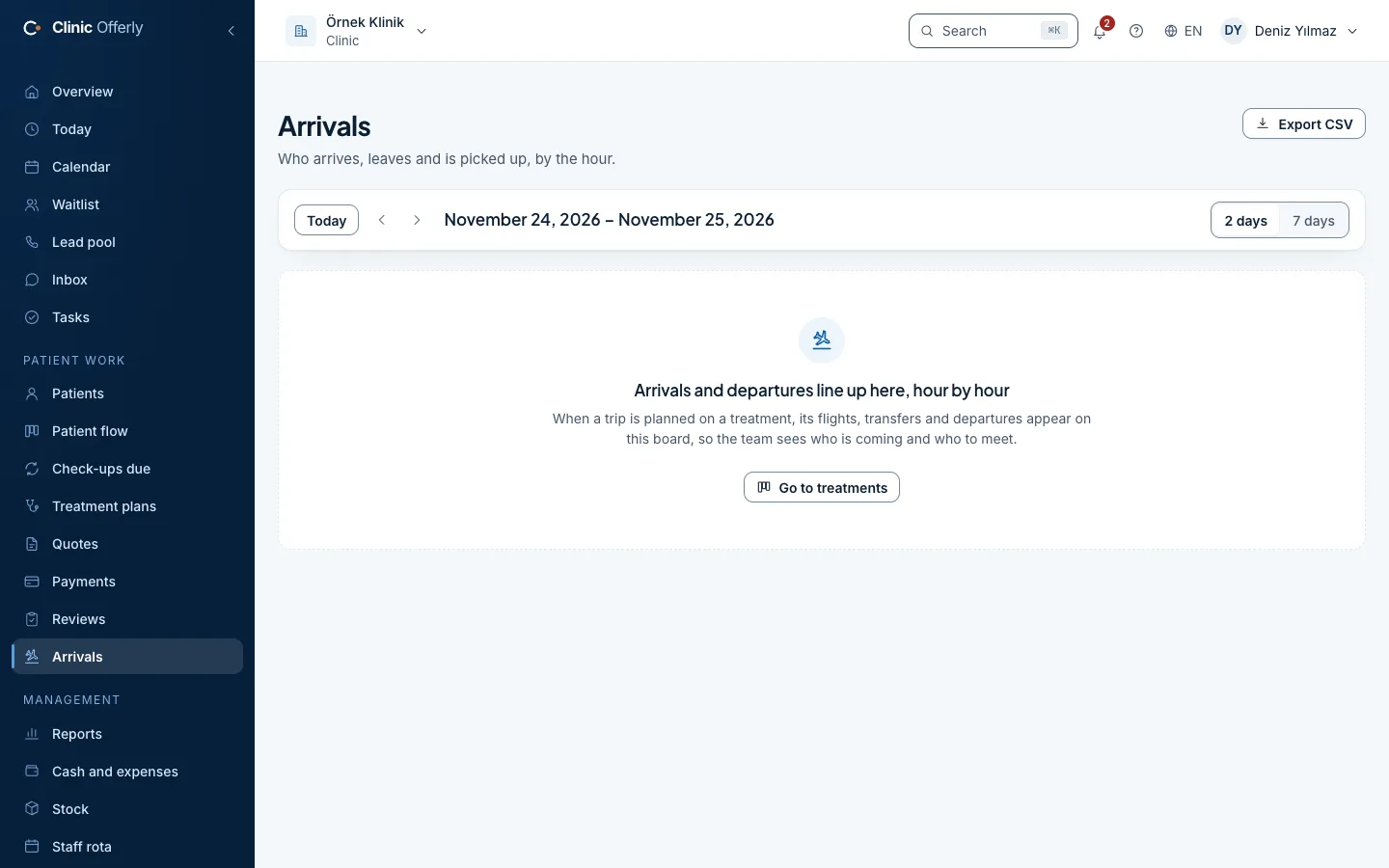
Arrivals board
Who is coming today?
Patients due, with day, time and status on one screen; the front desk reads the morning list here.
- By day, time and practitioner
- Arrival and no-show marking
- Follows record-visibility rules
Frequently asked questions
May the receptionist give medicine or treatment advice?
No. Medical advice belongs to the practitioner; the front desk gives appointment information and steers health questions to the practitioner or an examination appointment.
Can I quote a price on the phone?
Announcing prices and campaigns in domestic promotion is banned (the 12 November 2025 regulation, Article 5). Giving personal information to a caller who asks may not count as promotion, but confirm the wording and legal frame with your lawyer or the provincial health directorate.
Must I photocopy the patient's ID?
Collect the data you need, not more. Decide which item is required, and for what purpose, under the legislation and your facility's requirements; the privacy law requires data minimisation. If unsure, ask your lawyer.
Does a reminder call need consent?
An appointment reminder is a service message, not promotion; still use the channel the person prefers and put no campaign in it. Promotional messages need commercial electronic message consent and the IYS rules.
Does Clinic Offerly replace the front desk?
No. Clinic Offerly keeps the front desk's records in order: calendar, enquiries, payment plan, tasks. If you connect your own SMS or WhatsApp account, informational messages go out through it too; it keeps no medical records.
Sources
- Law No. 6698 on the Protection of Personal Data, Articles 4, 6, 10 and 12 (Turkish text) — Mevzuat Bilgi Sistemi
- Law No. 6502 on Consumer Protection, Article 5 (Turkish text) — Mevzuat Bilgi Sistemi
- Regulation on Promotion and Information Activities in Health Services, Article 5 (Turkish) — Official Gazette, 12 November 2025, no. 33075
Keep the front desk's work in one place
Calendar, arrivals board, payment plan and tasks in the same record.
Related reading
30-day free trial
Try Clinic Offerly with your own team
Every feature is open for 30 days, and no card is needed to start.