SolutionsHospital CRM: patient services and operations software
Run your hospital's patient services from one screen
Clinic Offerly opens every enquiry your hospital's patient services and call-centre teams receive as a case, assigns it to the right team by your rules, books appointments into department and doctor calendars, and runs quotes, payment tracking and follow-up in one place. In a large team, everyone sees only what their role and team need. An international patient unit gets trip organisation too.
- Call centre and patient services
- Department and doctor calendars
- Team and role-based visibility

Why patient relationships fall apart in a hospital
How it usually goes
- Enquiries sit separately in the call centre, in WhatsApp and in mailboxes.
- Nobody is sure which department is expecting which patient.
- The doctor's view wanders between departments for days.
- In a big team, nobody is sure who can see what.
With Clinic Offerly
- Every enquiry becomes a case and goes to the right team in turn.
- Department, doctor, room and device calendars never clash.
- Doctors see cases in their own review queue.
- Team and role-based visibility: everyone sees just what their job needs.
Patient services
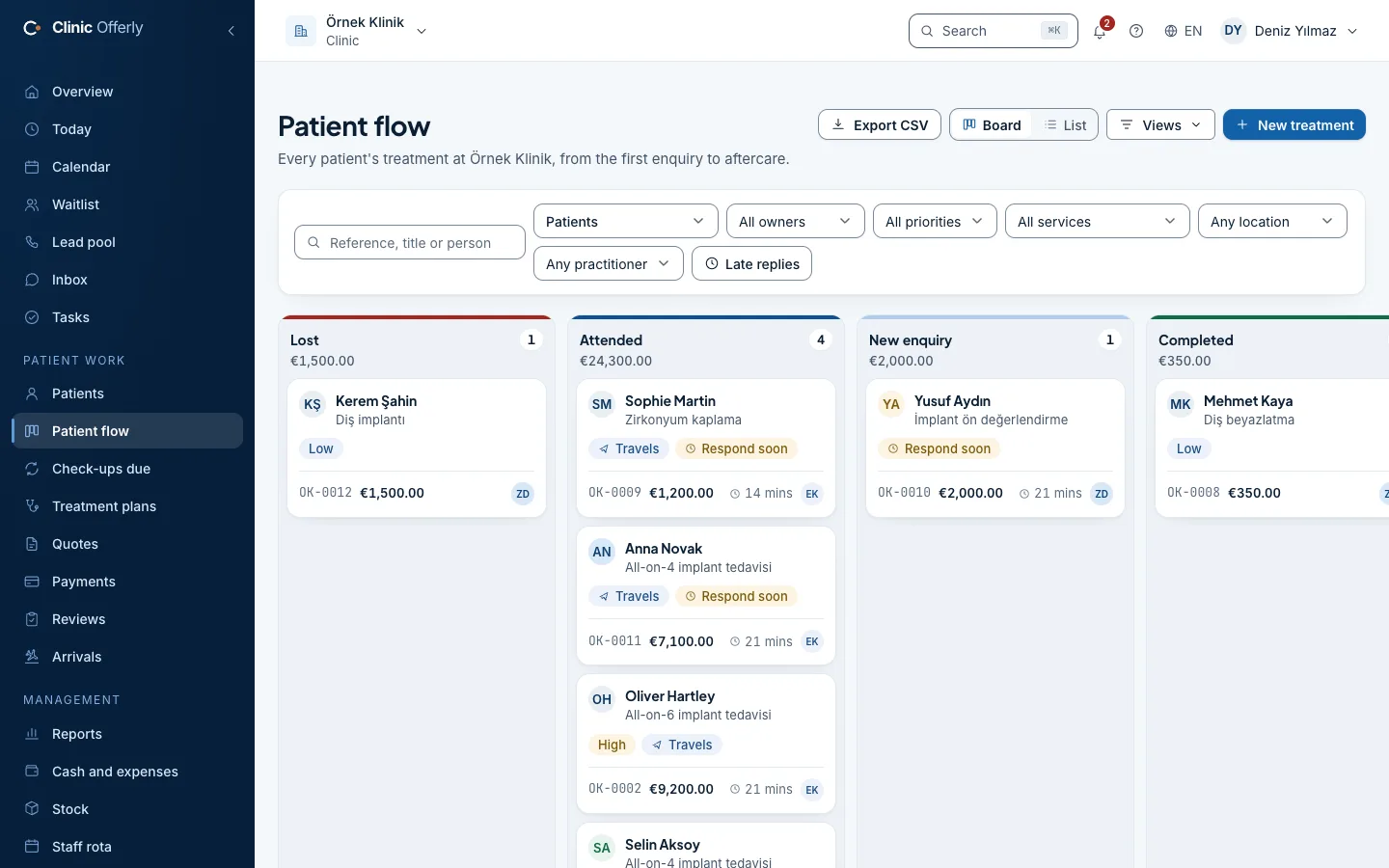
Every enquiry the call centre takes becomes a case
Enquiries the call-centre and patient-service teams take by phone, and those that arrive by form or e-mail, land on one board. Assignment rules share cases out to teams in turn by language, source and service, and a warning comes before a reply target runs out.
- Assignment by language, source and service
- Missed response target warnings
- Calls and conversations logged on the case
Departments
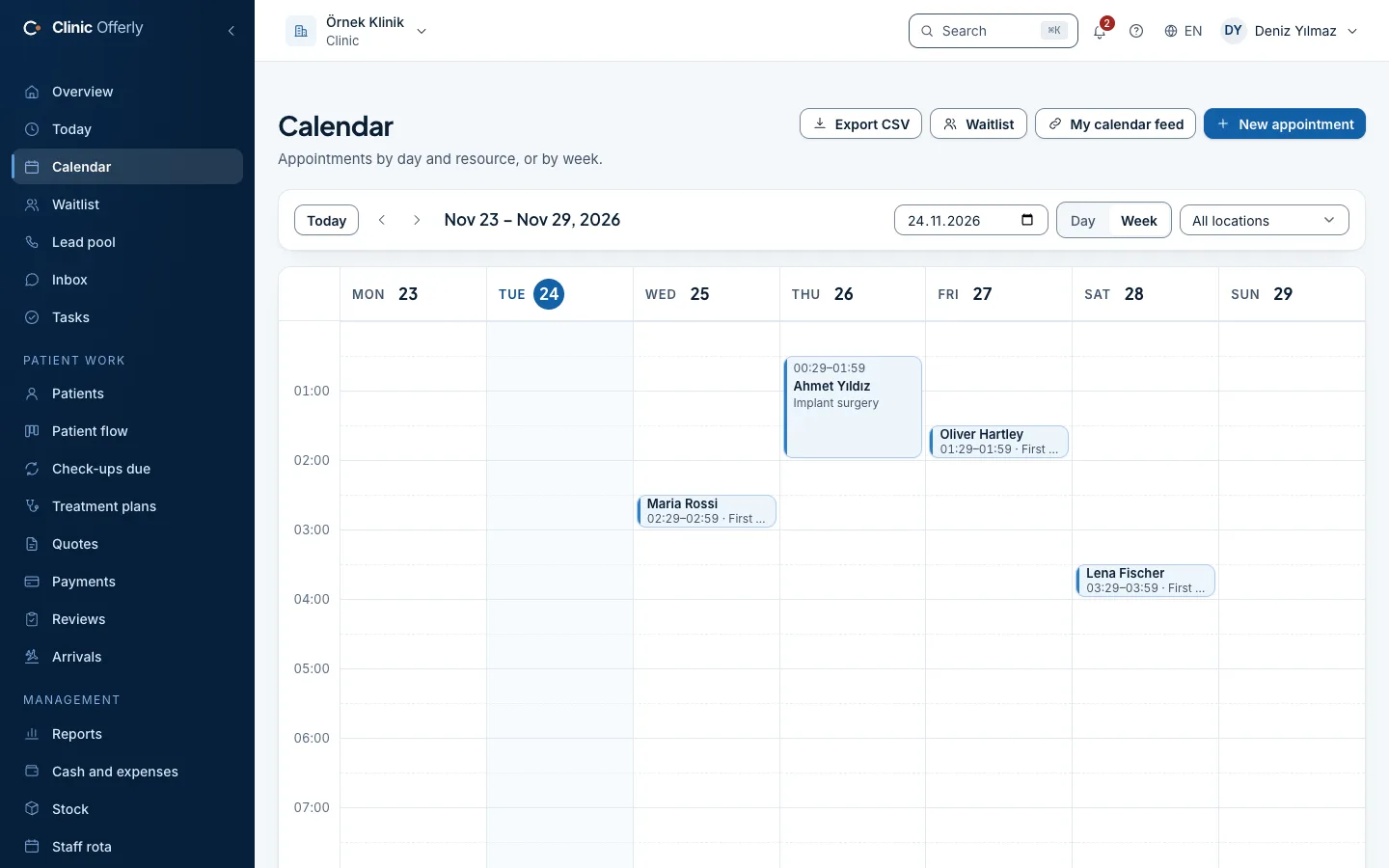
Department, doctor and location calendars, never clashing
Each location has its own hours and time zone, each doctor, room and device its own calendar. The database blocks double bookings, and reminders go out by e-mail on their own.
- Appointments by location
- Doctor, room and device resources
- A no-show count
Team
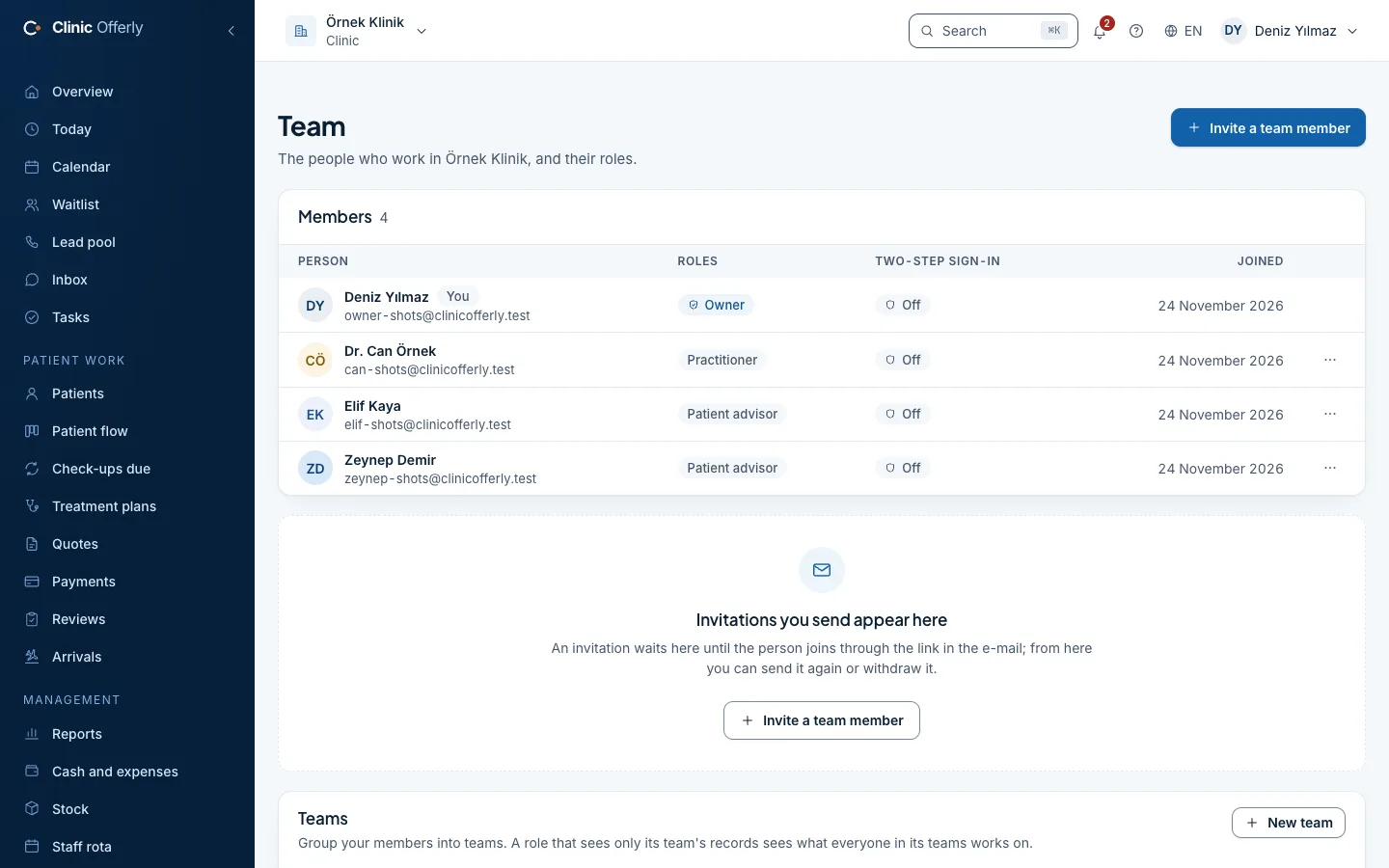
A large team, each with their own account
Patient services, doctors, front desk and finance work in separate roles. For each role you choose whether people see everything, their team's records or only their own, and you can require two-step sign-in across the hospital.
- Nine fixed roles
- Team-based visibility
- An activity log with CSV
Management
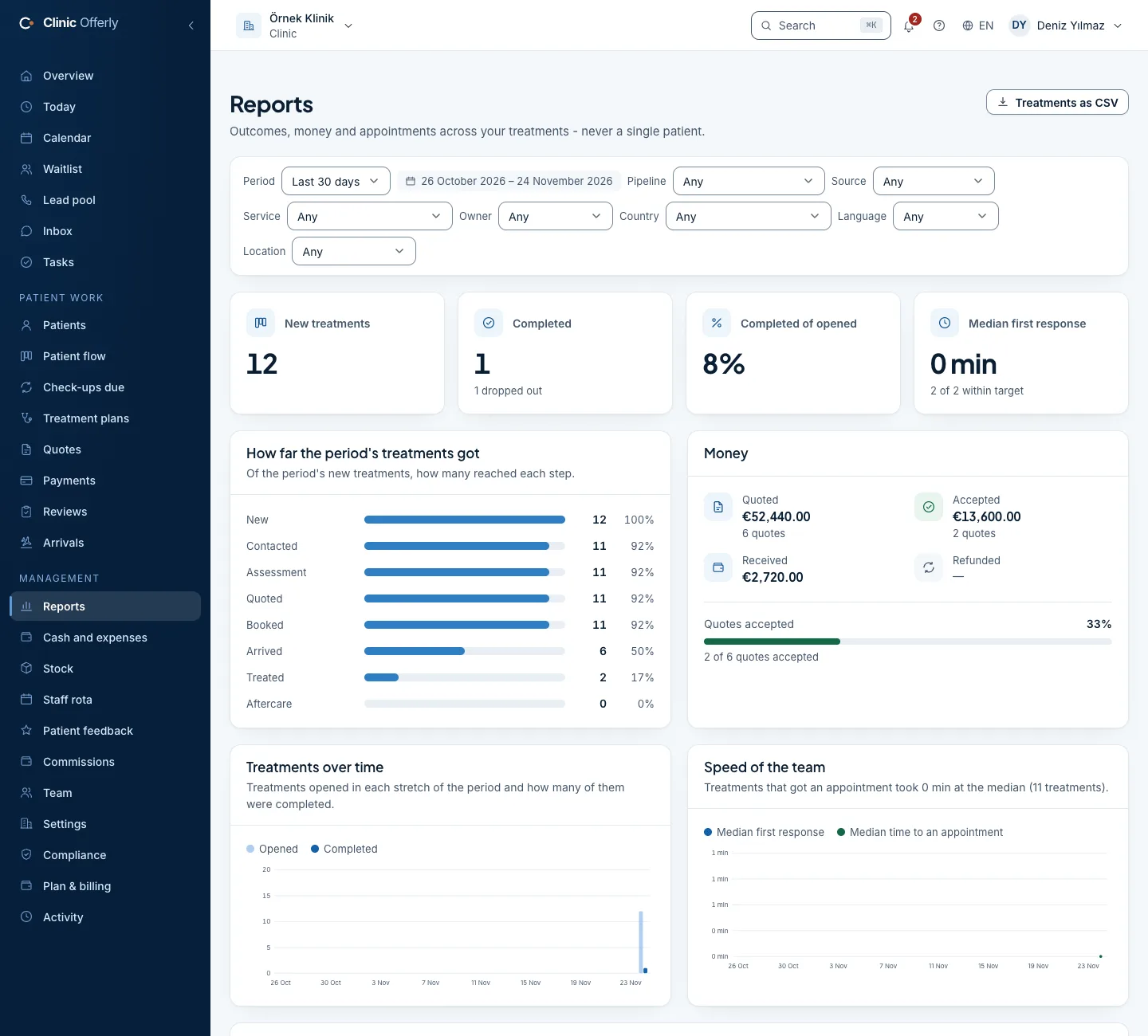
Which location, which source, which team
Cases opened, won and lost by location, team, source, service and owner, with first-response times and payments per currency on the same screen.
- Appointments by location
- Missed response targets
- A case CSV
International patient unit
For patients from abroad, flights, hotel and interpreter sit inside the case
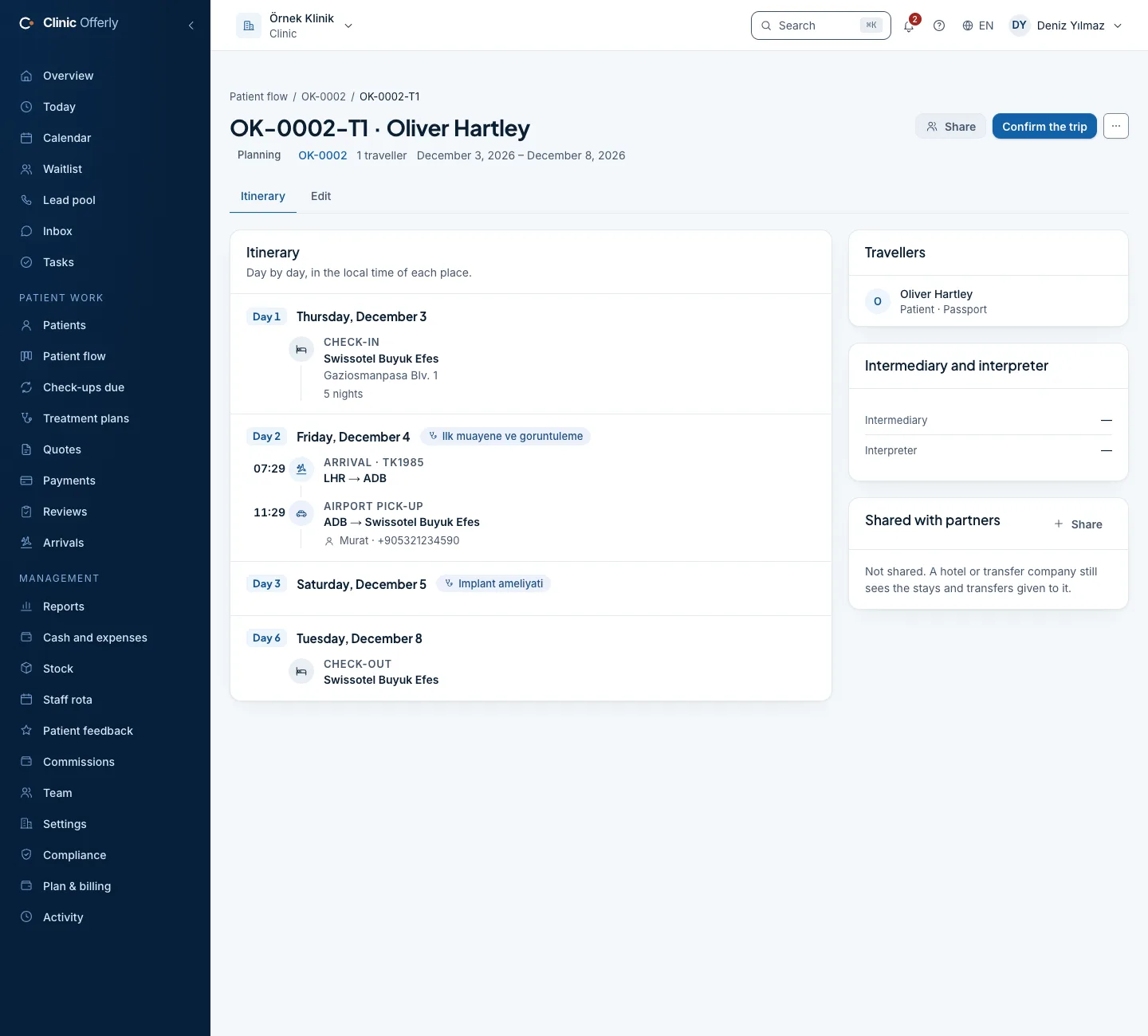
The patient and companions, flights in local time, hotel, transfers and treatment days in one plan. The patient sees it on the portal; the hotel and transfer company on their own screen.
- Companions as travellers
- Partner guests are not users
- Changes reach the partner
What your hospital gets
Setting up the hospital
Create the workspace
Choose hospital as its kind and tick your treatments; local and international pipelines, forms and privacy texts come ready.
Add locations and resources
Add buildings, doctors, rooms and devices, and define appointment types.
Invite the team by role
Invite patient services, doctors, front desk and finance with their roles and set assignment rules and visibility.
Does it integrate with our hospital information system?
No. Clinic Offerly has no HIS connection or public API. Medical records stay in your HIS; Clinic Offerly runs enquiries, booking, quotes and follow-up.
Is it suitable for our international patient unit too?
Yes. There is a separate pipeline for patients from abroad, a trip plan with flights, hotel, transfers and an interpreter, and a board of the day's arrivals; they are followed apart from local patients in the same workspace.
We have more than 30 users. What then?
For organisations beyond the largest plan we put together an enterprise package with users, locations and storage set in a contract; request a demo from the pricing page.
Which languages do the portal and e-mails use?
The patient side speaks Turkish, English, German, Arabic, Russian and French; you choose which to offer in the workspace settings. The team's interface is in Turkish or English.
Where is our data, and can Clinic Offerly staff see it?
The servers are currently in Germany. Authorised Clinic Offerly staff can open a workspace directly for support, operations, security and legal obligations, and are bound by confidentiality. Every access is written to a record that cannot be deleted, shows in your activity log and is notified to the owner.
What reports does management get?
The funnel by source, country, language, service, location, team and owner, response speed, quotes and payments per currency, appointments, no-shows and aftercare counts.
Related reading
30-day free trial
Try Clinic Offerly with your own team
Every feature is open for 30 days, and no card is needed to start.